

A useful SEO content audit does more than export URLs and color-code a spreadsheet. It combines technical evidence, search-performance data, editorial judgment, and business context so every page receives a defensible next action.
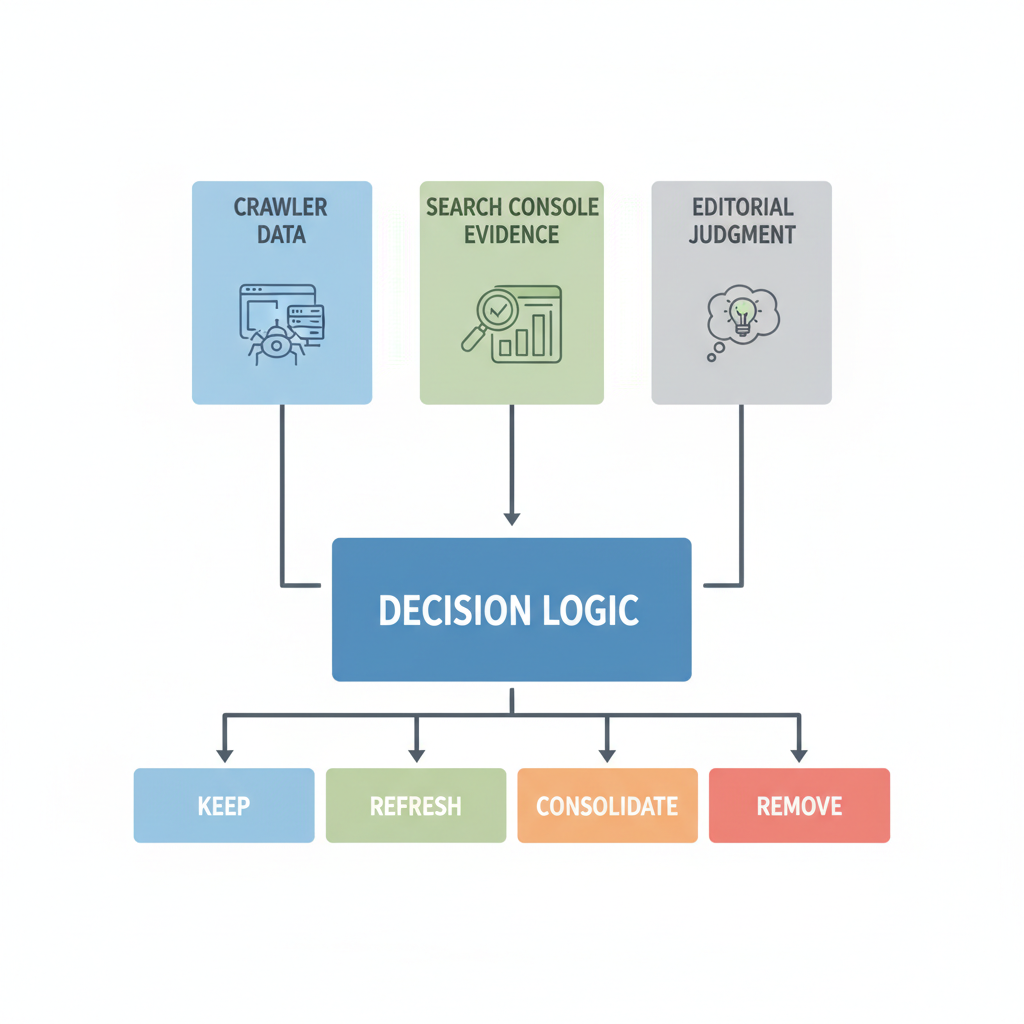
This framework is designed for agencies and lean content teams that need to audit a large or aging library without pretending one tool can answer every question. It separates what a crawler can observe, what Google Search Console reports, and what a human reviewer must decide.
Start with the decision the audit must support
Define the audit objective before collecting data. A migration audit, a traffic-decline investigation, and a quarterly content-health review require different scopes. Write a one-sentence objective, name the site sections included, choose the comparison period, and identify who can approve redirects, rewrites, and removals.
Then define the available actions. A practical set is keep, refresh, consolidate, redirect, or retire. These are operating recommendations, not Google rules. The value is consistency: reviewers know what evidence is needed before assigning an action.
For teams turning audit findings into scheduled work, pair this process with a 90-day SEO content plan.
Build one URL inventory, but keep each data source in its lane
Create a master URL list from the CMS, XML sitemaps, and a site crawler. Add analytics and Search Console data only after URLs have been normalized. Do not treat any single source as a complete inventory: CMS exports can include unpublished records, crawlers can miss isolated pages, and Search Console is designed to monitor Google Search presence rather than act as a full site crawler.
Useful inventory fields include:
- Canonical URL and content type
- Indexability, status code, canonical target, and redirect target
- Title, primary topic, search intent, owner, and last meaningful update
- Internal links in and out, plus orphan-page status
- Search Console clicks, impressions, queries, and page-indexing status for the selected period
- Analytics engagement or conversion signals appropriate to the business
- Editorial notes, recommended action, priority, owner, and due date
Google’s Performance report can show clicks, impressions, click-through rate, position, queries, and pages. However, some query data is anonymized and reporting is subject to aggregation and data limits. Treat it as strong search evidence, not a perfect record of every visit or query.
Separate technical checks from editorial judgment
| Evidence layer | What it can answer | What it cannot decide |
|---|---|---|
| Crawl and CMS data | Whether a URL resolves, is internally linked, has a canonical, or sits in a redirect chain | Whether the page genuinely satisfies its audience |
| Search Console | How a page appears in Google Search reporting and whether Google reports indexing issues | Whether a page is strategically valuable or factually sound |
| Analytics and CRM data | How measured visitors engage or convert under the organization’s setup | Whether the page is complete, original, and accurate |
| Editorial review | Intent match, accuracy, originality, clarity, evidence, and brand fit | Technical facts that require crawling or platform data |
The Page indexing report lists Google-known URLs and reasons pages may not be indexed. Not every discovered URL needs to be indexed: alternates, duplicates, redirects, and intentionally excluded pages can be valid. Google also notes that complete indexing is not expected for every site, so avoid turning “100% indexed” into an agency promise.
Review intent, quality, and business value
For each indexable page, ask three groups of questions. First, does the page match the likely intent behind its target query? Second, is it accurate, original, complete, and easy to use? Third, does it support a current product, service, audience, or conversion path?
Google’s people-first guidance recommends original information or analysis, substantial coverage, clear sourcing, trustworthy presentation, and content created primarily to help people. Use those principles as review prompts rather than converting them into a mechanical score that claims to predict rankings.
Check for outdated examples, unsupported claims, mismatched titles, near-duplicate sections, weak media, missing author or review context, and calls to action that no longer match the offer. When an older page remains useful but needs a controlled update, follow a documented content-refresh workflow.
Assign the right action to every page
- Keep: The page serves a distinct purpose, remains accurate, and needs no material change.
- Refresh: The core intent and URL are still useful, but facts, examples, structure, media, internal links, or calls to action need improvement.
- Consolidate: Multiple pages compete for substantially the same intent, and one stronger destination can preserve the useful material.
- Redirect: A page no longer deserves a standalone destination, but a close replacement exists. Confirm the destination is genuinely relevant.
- Retire: The page has no current user or business value and no appropriate replacement. Removal decisions should include technical and stakeholder review.
Duplicate or similar content is not automatically spam. Google’s canonicalization documentation explains that canonical URLs help select a representative page among duplicates. The audit question is whether multiple pages create a confusing experience, split maintenance effort, or compete for the same purpose—not whether any repeated phrase exists.
For large templated libraries, use the safeguards in programmatic SEO without thin or duplicate pages.
Prioritize with evidence, not invented benchmarks
Use a simple priority model that reflects the client’s goals. One option is to rate each opportunity for business importance, user impact, confidence in the diagnosis, implementation effort, and dependency risk. Document the meaning of each rating and keep the raw evidence beside the score.
A high-impression page with an outdated offer may be urgent. A low-traffic page required for customer support may still deserve to stay. A broken redirect chain can be technically clear but blocked by migration dependencies. The model should make tradeoffs visible; it should not disguise judgment as mathematical certainty.
Run a dedicated internal-link repair pass
After page actions are assigned, map which surviving pages should link to one another. Repair links pointing to removed or redirected URLs, add contextual links from authoritative hub pages, and ensure important pages are reachable through the site’s navigation or topic structure.
Internal links help people and crawlers discover related material, but relevance matters more than volume. Use descriptive anchor text and link where the destination genuinely advances the reader’s task. For a repeatable process, see scaling internal links across topic clusters.
Turn findings into a 90-day delivery plan
Convert the audit sheet into owned work rather than handing over a static report. Group actions into three waves:
- Stabilize: resolve critical indexability, redirect, canonical, and broken-link issues; pause risky publishing patterns.
- Improve: refresh priority pages, consolidate clear overlaps, strengthen evidence, and repair topic-cluster links.
- Expand and measure: publish validated gap content, review affected Search Console and analytics segments, and document what changed.
Every task should have an owner, acceptance criteria, dependency, and review date. Record the original URL state before implementation. Google does not guarantee immediate crawling or indexing after a change, so report outcomes over an appropriate observation window instead of promising a fixed recovery date.
Where SiteSeed fits
SiteSeed can help turn an approved audit roadmap into briefs, refresh assignments, source-aware drafts, internal-link recommendations, and a consistent review queue. It does not replace crawl diagnostics, Search Console, subject-matter expertise, or final editorial approval. Its best role is operational: helping a team execute an evidence-based plan without losing the decisions and quality gates defined during the audit.
If production capacity is the constraint after the audit, read how to scale blog content without hiring writers.
Agency audit checklist
- Objective, scope, decision owners, and comparison period are documented.
- CMS, sitemap, crawl, Search Console, and analytics evidence remain traceable to their sources.
- Technical findings and editorial judgments are reviewed separately.
- Every page has a reasoned action, priority, owner, and due date.
- Consolidations include content mapping, redirect review, and internal-link updates.
- Client reporting distinguishes confirmed facts, recommendations, and expected outcomes.
- A post-implementation review is scheduled without guaranteeing ranking or indexing results.