
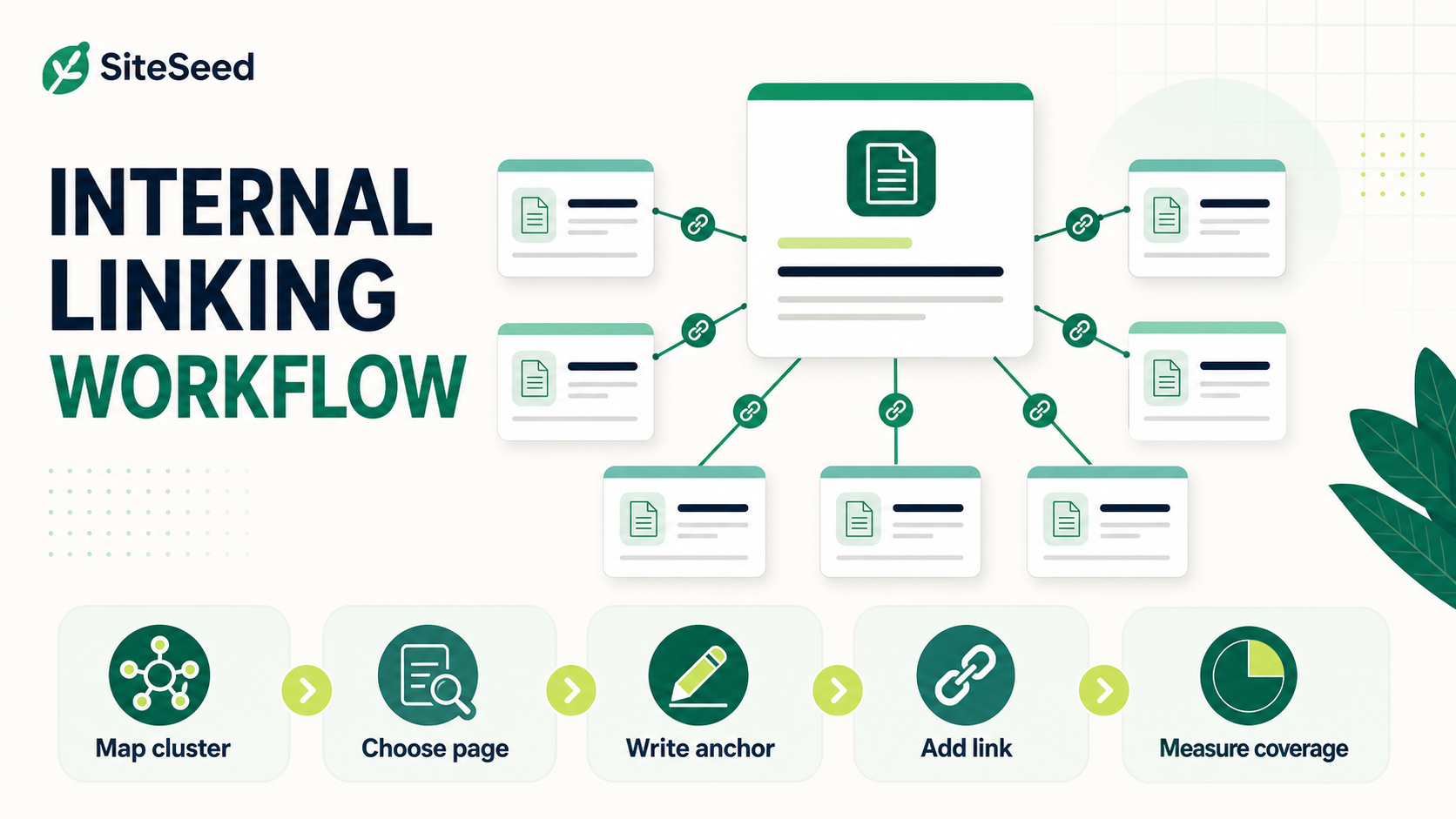
Internal linking becomes difficult when an agency manages dozens of topic clusters across multiple clients. The challenge is not adding more links. It is choosing useful destinations, writing descriptive anchor text, preventing orphan pages, and recording enough context that the next writer can make the same decision consistently.
This guide turns those decisions into a repeatable workflow. It separates documented Google guidance from practical operating recommendations, avoids promises about rankings or crawl timing, and shows how to measure coverage without treating Search Console as a complete audit tool.
What Google actually says about internal links
Google Search Central explains that links help Google find pages and understand what linked pages are about. For a link to be reliably crawlable, Google recommends using a standard <a> element with an href attribute. Google also recommends concise, descriptive anchor text that makes sense to readers and gives context about the destination.
Those points support three defensible conclusions. First, important pages should have a crawlable path from another page on the site. Second, the words around a link should help a reader predict what they will find. Third, site owners should maintain a logical structure rather than relying on a sitemap or an indexing request to compensate for disconnected pages.
They do not support a promise that adding a particular link will improve rankings, cause immediate indexing, or make Google recrawl a page within a fixed period. Internal linking is one part of site architecture. Content usefulness, technical accessibility, duplication, canonicalization, and many other factors still affect how a page is processed.
Step 1: Map each topic cluster before placing links
Start with a lightweight inventory rather than opening every article one at a time. For each cluster, record the hub page, supporting pages, page status, primary search intent, and the most recent review date. Add columns for inbound internal links and recommended destinations if your crawler or CMS can provide them.
A practical cluster map can use five fields:
- Page and purpose: the URL plus one sentence describing the job it does for the reader.
- Cluster role: hub, supporting guide, comparison, case study, glossary, or conversion page.
- Relationship: which pages naturally help a reader take the next step.
- Coverage state: published, being refreshed, planned, redirected, or intentionally excluded.
- Link action: add, update, remove, or review later.
This map is an editorial decision aid, not a substitute for crawling the site. A crawler can reveal pages with zero detected inbound links, redirect chains, broken destinations, and excessive depth. The map explains whether a proposed connection is genuinely useful to a reader.
For an existing library, begin with pages that have no internal inbound links, pages more than a few clicks from the main navigation, and recently published pages that have not yet been connected to an established cluster. Treat these as review priorities, not proof that Google has or has not indexed them.
Step 2: Prioritize links by reader need and business importance
Link priority should start with usefulness. Ask what a reader is likely to need after the current paragraph and whether another page answers that need better than adding a long aside. This keeps links contextual and prevents the workflow from becoming a quota exercise.
Use the following order when a team has more opportunities than it can review:
- Fix broken and redirected destinations. Update links that no longer reach the intended canonical page.
- Connect true orphan candidates. Add at least one relevant, crawlable link where the destination belongs naturally in the reader journey.
- Support priority pages. Review strategically important pages that are underrepresented in relevant site navigation and editorial content.
- Connect new and refreshed content. Add links in both directions when they help readers move between a hub and its supporting pages.
- Reduce redundant linking. Remove repeated links that add no new navigational value or point to competing destinations with unclear intent.
Do not describe a section as “low authority” solely because it is new or crawled less often. Page-level authority is not a metric provided by Google Search Console. A better operational description is that the section has fewer relevant internal paths, less established navigation, or limited historical data.
When refreshing a page, make internal-link review one of the fixed quality gates. The SiteSeed content-refresh workflow provides a broader process for deciding what to update and how to validate the result.
Step 3: Write descriptive anchor text without over-optimizing
Good anchor text is short enough to scan and specific enough to set an accurate expectation. It should fit the sentence naturally. Exact-match keywords are not a requirement, and repeatedly forcing the same phrase can make the article less readable.
| Weak anchor | Better anchor | Why it is clearer |
|---|---|---|
| Click here | content refresh workflow | Names the destination topic. |
| Learn more | how to identify orphan pages | Explains the question the destination answers. |
| Best SEO guide | Google's crawlable-link guidance | Avoids an unsupported superlative and identifies the source. |
Use variation when different sentences call for different descriptions, but do not manufacture synonyms merely to look diverse. Review the destination before approving an anchor. If the linked page has changed substantially, update the anchor and surrounding sentence so they remain accurate.
Also check placement. A descriptive link inside a relevant paragraph usually gives a reader more context than the same link collected in a generic “resources” block. Navigation, breadcrumbs, related-content modules, and body links can all be useful, but they serve different reader needs and should not be treated as interchangeable.
Step 4: Add internal linking to the production workflow
A scalable process assigns link decisions to moments when the team already has context. Writers propose links during drafting. Editors check relevance and anchor clarity. A scheduled audit catches orphan candidates, broken destinations, and structural drift that individual article reviews will miss.
Use a small set of quality gates for every new or refreshed article:
- Every destination returns the intended status and resolves to the preferred URL.
- The link uses a crawlable HTML anchor rather than a click handler without a usable
href. - The anchor and surrounding sentence accurately describe the destination.
- The link adds navigational value and is not inserted only to meet a numeric target.
- The article connects to its cluster where a natural relationship exists.
- Links to redirected, removed, or consolidated pages are updated.
For agencies scaling production, store recommended internal-link opportunities in the same brief used for research, review, and publishing. That makes linking part of content operations rather than a cleanup project. The related guide on scaling blog content without hiring writers explains how fixed briefs and quality gates reduce coordination overhead.
A weekly review can focus on recent publishing activity. A broader monthly or quarterly crawl can examine the whole site. The right cadence depends on publishing volume, site size, migrations, and how frequently URLs change; there is no universal schedule that guarantees better search performance.
Step 5: Measure coverage without overstating causality
No single report proves that an internal-link change caused a ranking or indexing outcome. Use several sources together and record the date of meaningful changes so the team can interpret what happened without claiming certainty.
| Source | Useful for | Important limitation |
|---|---|---|
| Site crawler | Detected inbound links, depth, broken links, redirects, and orphan candidates | May not include pages absent from the crawl seed or external data sources. |
| Search Console Links report | A Google-provided sample of internal-link relationships | Not a live or exhaustive site audit. |
| Page indexing report | Indexing status patterns and reported reasons pages are not indexed | Does not prove that internal links caused a status change. |
| URL Inspection | Current information Google has for an individual URL and an indexing-request option | Requesting indexing does not guarantee inclusion or a specific processing time. |
| Analytics | Reader navigation and referral behavior between pages | Cannot show how Google crawled or evaluated the links. |
Track operational measures first: percentage of published pages included in the cluster map, number of confirmed orphan pages, broken internal links, redirecting links, and unresolved review actions. Search visibility and organic traffic can be monitored as outcomes, but describe changes as observations unless a controlled test supports a causal conclusion.
A 30-minute internal-linking review
For a compact recurring review, spend five minutes exporting new and updated URLs, ten minutes checking orphan and broken-link candidates, ten minutes approving the most useful contextual links, and five minutes recording completed actions. Escalate structural problems—such as duplicate hubs, unclear navigation, or widespread redirect chains—to a separate site-architecture task.
The goal is consistency, not maximum link count. A useful internal-linking system helps readers move through related material, gives crawlers standard paths to important pages, and leaves an audit trail that another editor can understand. SiteSeed can support this workflow by carrying internal-link opportunities in the content brief, surfacing related published articles, and keeping review and publication as explicit quality gates.